

Runs
Read the history of an agent, trigger a run by hand, and understand what a failed or skipped run is telling you.
Every time an agent wakes up, Ali records a run. The history is where you find out whether an agent is earning its place, and it is the first thing to open when a report stops arriving.
Press Runs on any agent row.
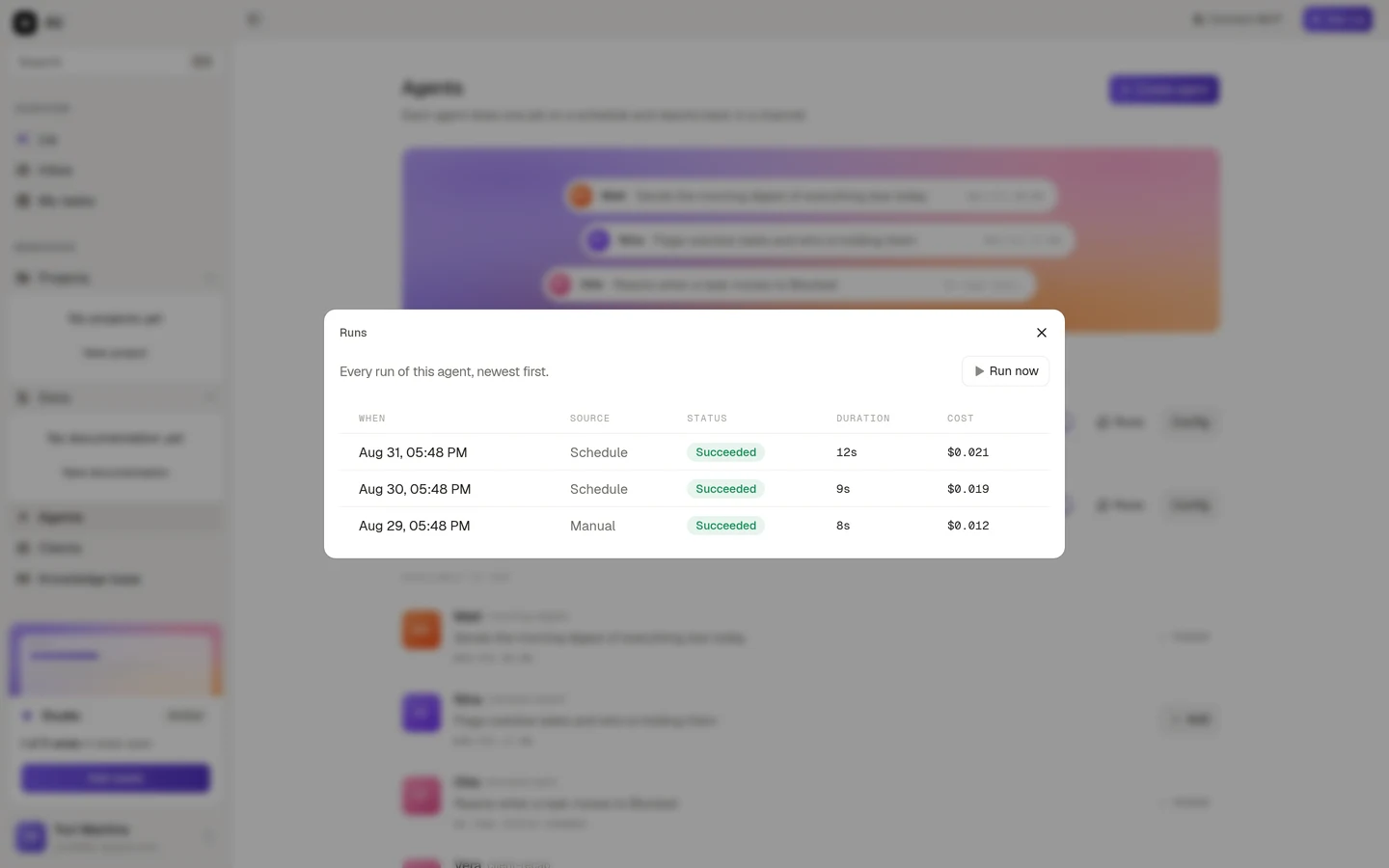
Newest first, one row per run:
| Column | What it tells you |
|---|---|
| When | The moment the run started |
| Source | What woke the agent: Schedule, Event or Manual |
| Status | How it ended |
| Duration | How long it took |
| Cost | What the run cost |
Running one by hand
Run now, at the top right, triggers a run immediately without touching the schedule. Use it right after creating an agent so you can read a real report instead of waiting until tomorrow morning, and use it when you have just rewritten an instruction and want to see the effect.
A manual run shows up in the history with Manual as its source, so it is easy to tell apart from a scheduled one.
Reading a run
Click any row to open it.
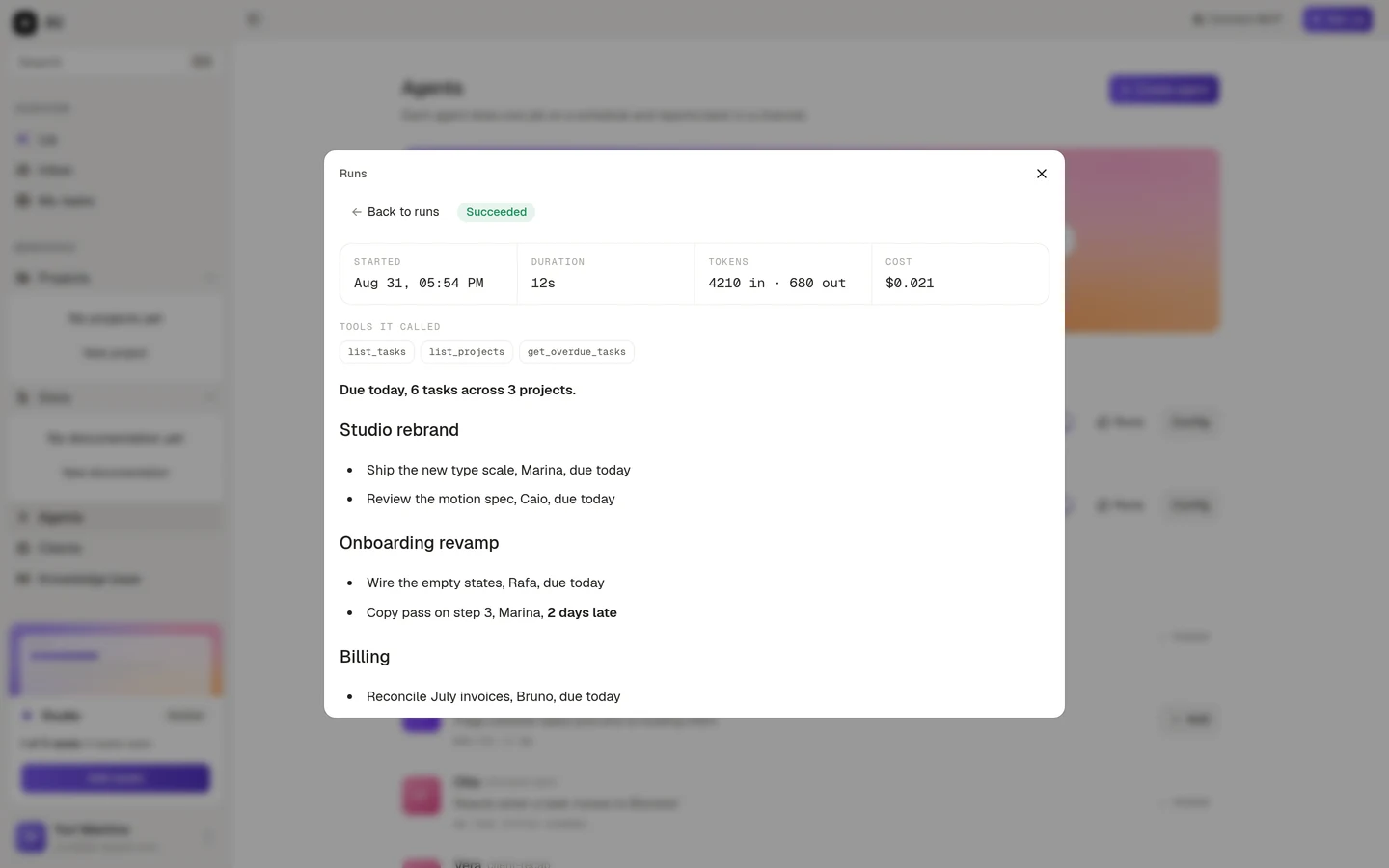
Four facts across the top: when it started, how long it took, how many tokens went in and out, and what it cost.
Tools it called lists what the agent actually reached for. This is the fastest way to check that an agent is looking where you think it is. An agent that should be reading tasks and is calling nothing but the dashboard has an instruction problem, not a permission problem.
Underneath is the report itself, exactly as the agent produced it.
If the run is still going, the panel says so and keeps updating. You can close the tab, the agent keeps working.
What each status means
| Status | What happened |
|---|---|
| Succeeded | The run finished and the report went out |
| Running | The agent is working right now |
| Queued | The run is waiting its turn |
| Failed | Something went wrong during the run. The error is shown on the run |
| Timed out | The run took too long and was stopped |
| Skipped | The agent was disabled when the trigger fired |
| Out of budget | The workspace hit its run budget, so this run was not started |
A Skipped run is usually the answer to “why did the digest stop arriving?”. Someone turned the switch off. Out of budget is a workspace level limit rather than anything wrong with the agent.
There is one more case worth knowing: a run can succeed and still fail to deliver. When that happens the run says the report was produced but posting it failed, which almost always means the Slack or Discord integration was disconnected, or the channel was archived. The report is still there to read on the run.
When an agent is not doing what you expected
A short checklist, in the order that finds the problem fastest:
Is it enabled?
Check the switch on the agent row. A disabled agent records skipped runs instead of doing the work.
Did it run at all?
An empty history means the trigger never fired. For a scheduled agent, check the days, the time and the timezone. For an event agent, check that the event and the status filter actually match what happens in your workspace.
What did it call?
Open the last run and read Tools it called. If the agent never reached the data you care about, either the instruction is pointing it elsewhere or it has no permission to get there.
Read the report as a stranger
If the run succeeded but the output is vague, the instruction is vague. Say what to look at, how to order it, what to leave out, and what to do when there is nothing to report.