

Teams
The three kinds of people in an Ali workspace — members, the project team, and guests — and what each one can reach.
Ali has no separate “teams” object to configure. Access is decided in three places instead, and each one answers a different question.
| Who | Decided in | What they get |
|---|---|---|
| Workspace members | Settings → Members & seats | An account in the workspace, with a role |
| The project team | The project’s Members field | The people you can assign that project’s tasks to |
| Guests | Share, on a project | A read-only view of the boards you picked |
Most of the time you only touch the first one. The second matters when a studio runs several clients with different people on each, and the third is for when the client themselves wants to look.
Members and roles
A member is somebody with an account in your workspace. They take a seat on your plan, they sign in with their own email, and they carry one of three roles.
| Role | What it can do |
|---|---|
| Owner | Everything, plus the things you do once: the workspace itself |
| Admin | Manages members, billing and every project |
| Member | Works on the projects they are added to |
Roles are about the workspace, not about a single project. Members and roles covers inviting, seats and removal.
The project team
Every project carries a list of members, set in the project form. That list is what the assignee picker reads from, so adding somebody to a project is what makes them assignable on its tasks.
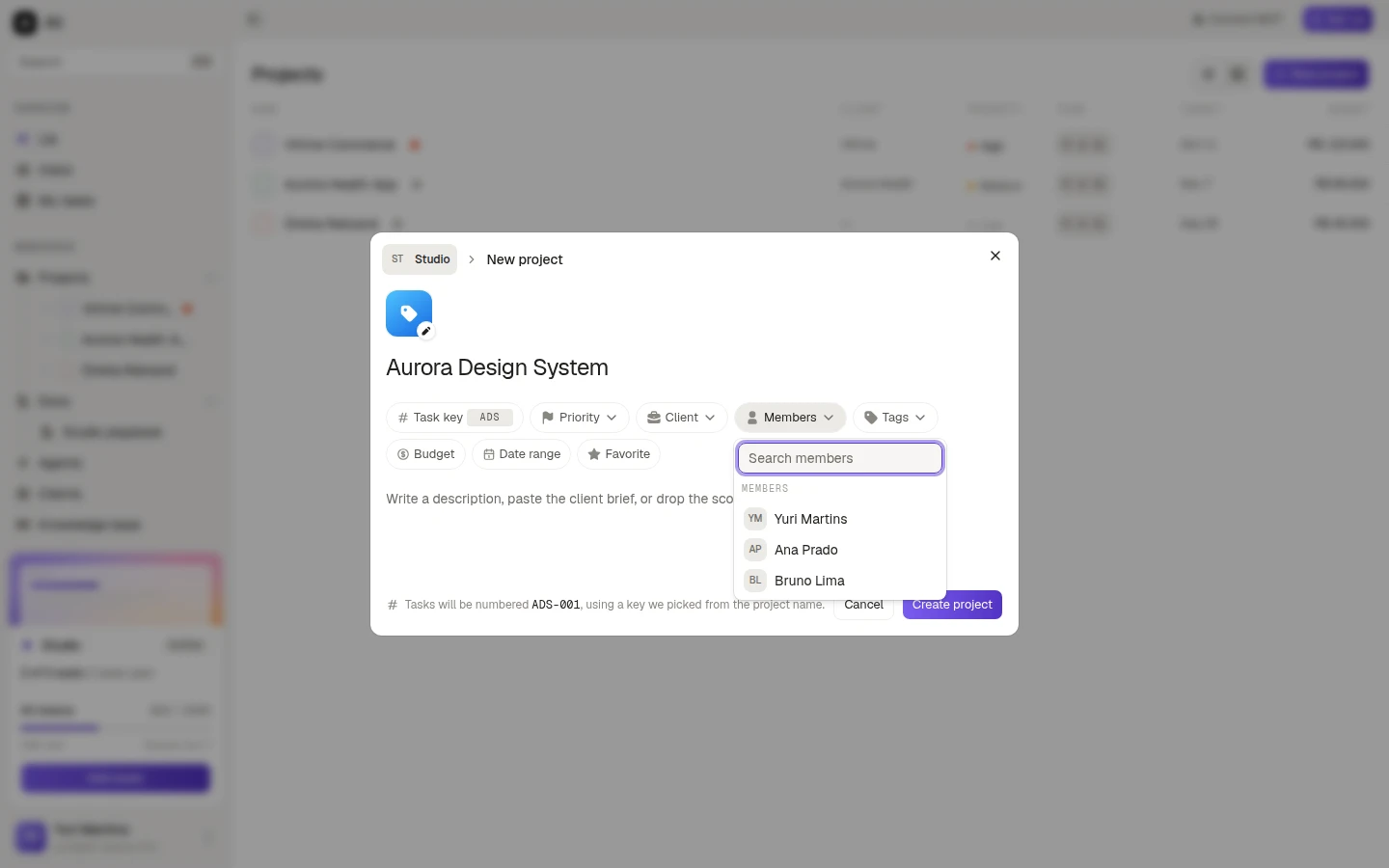
It is an ordinary field: open the project, Edit project, change the list, save.
Guests
A guest is somebody without an account: the client, a freelancer, a stakeholder who wants to watch. They get a sign-in link by email and see the boards you picked, read only.
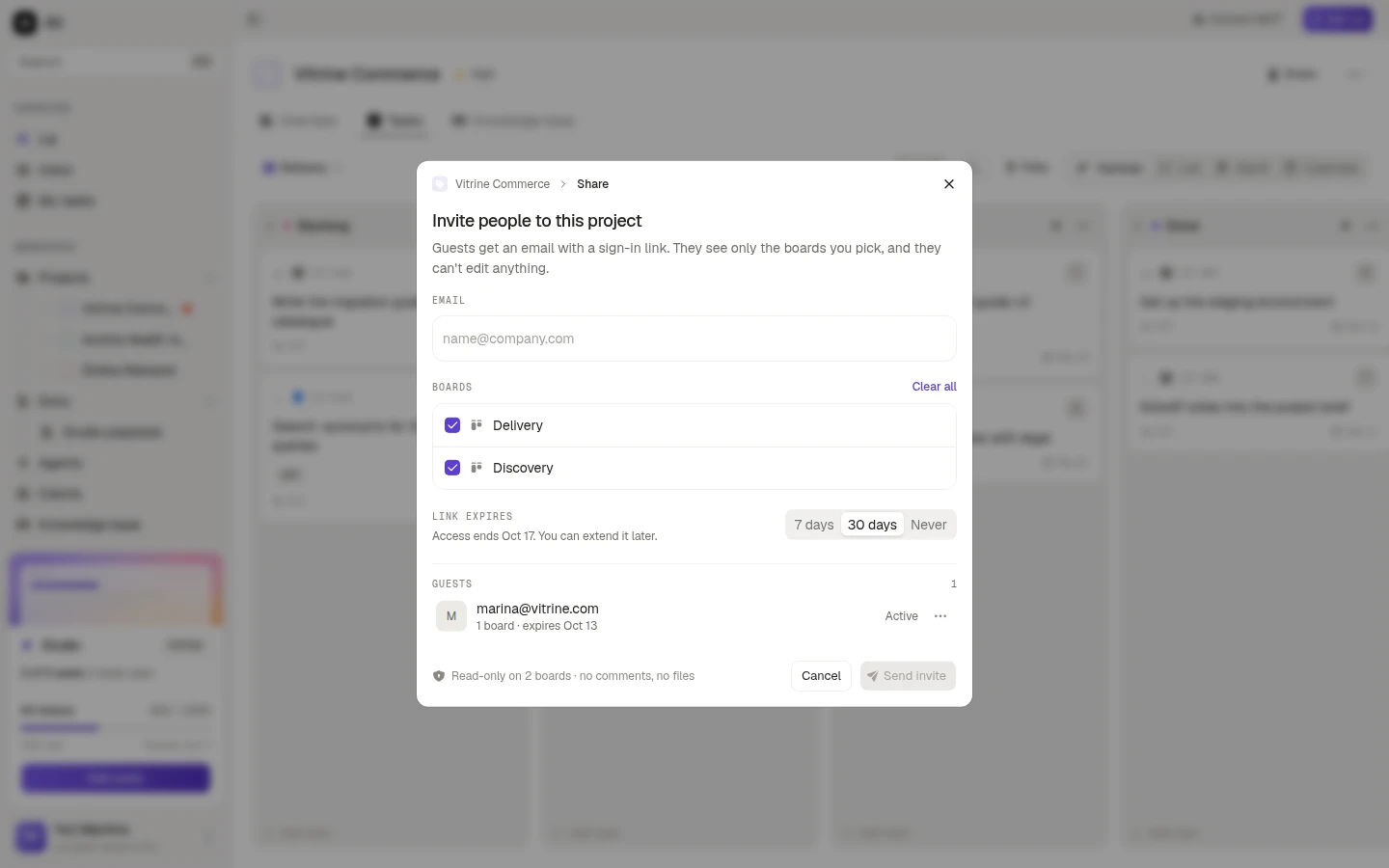
Guests do not take a seat, cannot edit anything, and cannot comment or open files. Guests and shared projects covers the whole flow.