

Guests and shared projects
Give a client a read-only view of the boards you choose, with an expiry date, without creating an account or spending a seat.
Clients ask where things are. The usual answers are a screenshot, a spreadsheet somebody keeps in sync by hand, or a meeting. Guest access is the fourth option: send them a link and let them look at the board itself.
A guest has no account and takes no seat. They see the boards you picked, read only, and nothing else in the workspace.
Sharing a project
Share, in the project header, opens the dialog.
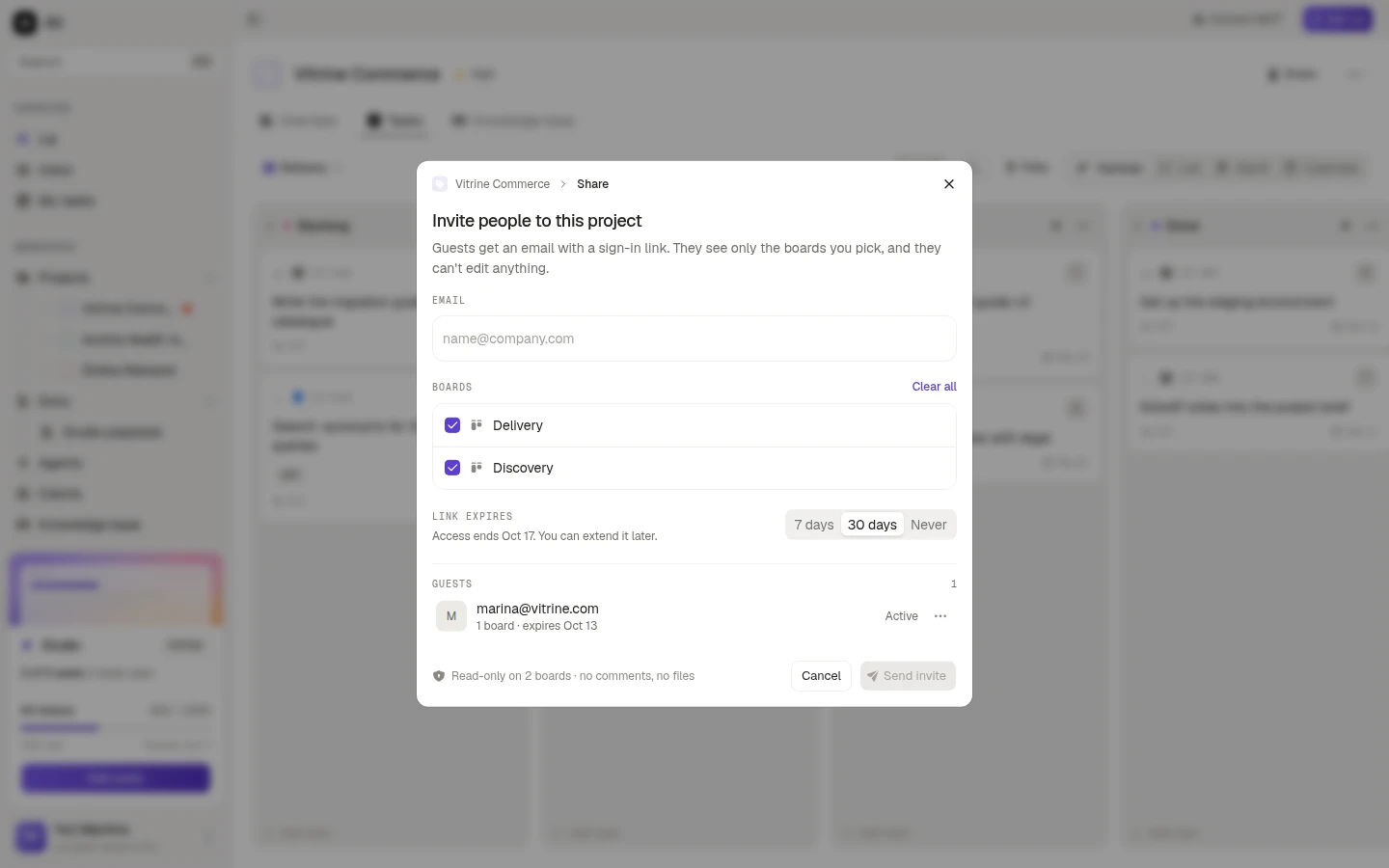
Type the emails
One or several. Each one becomes a chip, and an address that is not valid says so before you send.
Pick the boards
The checklist is every board in the project, with Select all and Clear all. At least one is required, because an invite with no board would show nothing.
Choose when the link expires
7 days, 30 days or Never. The line underneath spells out the date it ends, and Never keeps working until you revoke it.
Send
Each guest gets an email with a sign-in link. The footer restates exactly what they are getting: read only on the boards you picked, no comments, no files.
What the guest sees
The guest signs in with the email that got the invite. Ali emails them a link, which works once and expires after 15 minutes. There is no password and no account to create.
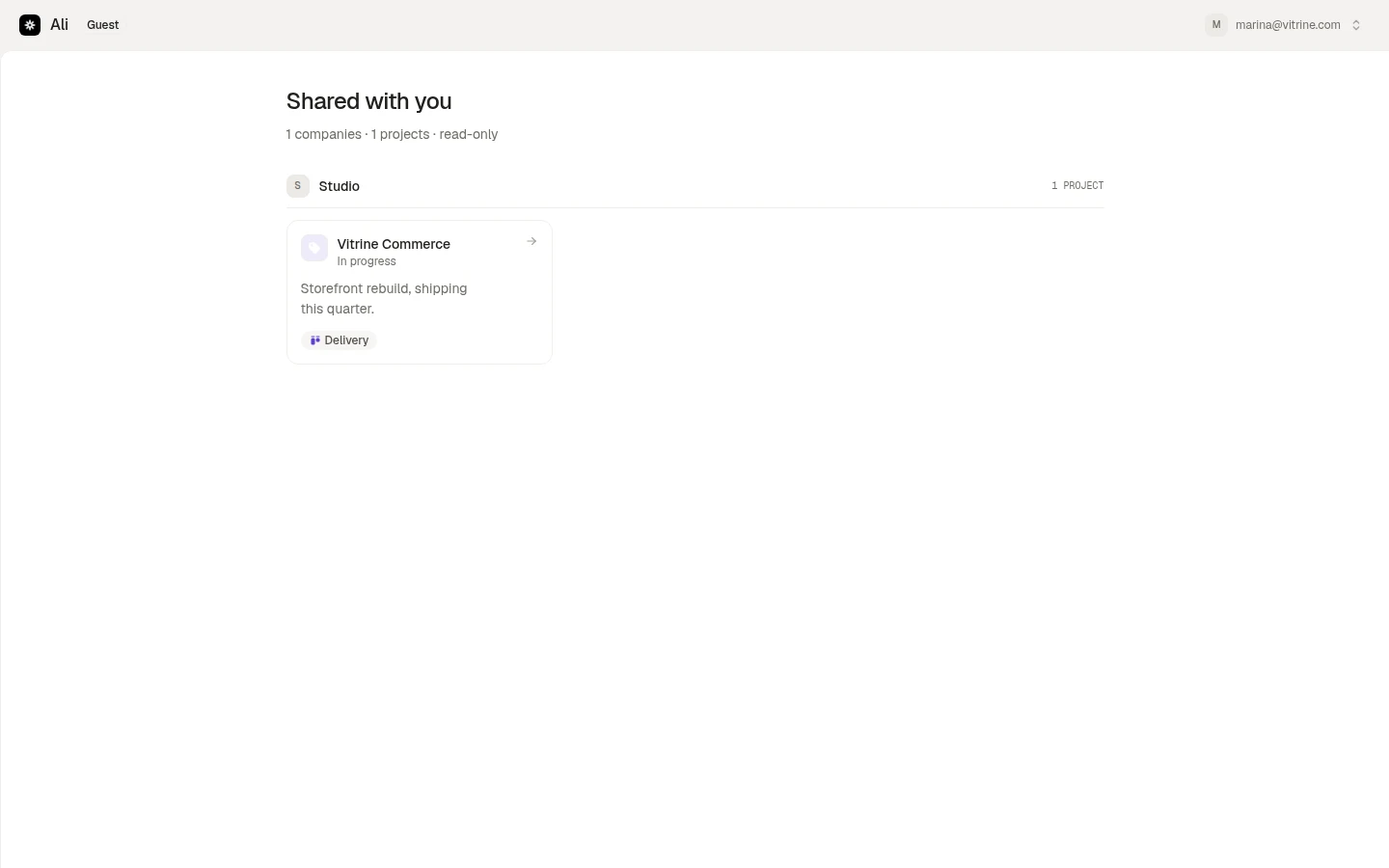
They land on Shared with you: the companies and projects shared with that email. Opening a project shows the board, marked Read only, with the tasks and their details. Comments and files are hidden, and nothing is editable.
If the same email was invited to projects in more than one workspace, all of them show up here, which is exactly what a freelancer working for two studios wants.
Managing guests afterwards
The Guests list at the bottom of the share dialog is everyone with access to this project: their email, how many boards they can open, when the link expires, and whether it is still active.
The menu on a row edits or revokes. Editing changes which boards they can open, and the dialog is explicit that changes apply the next time they open the link. Revoking ends access.