

Projects
The unit every piece of work hangs off. The list, what a row tells you, and what is inside a project once you open it.
A project in Ali is one engagement: a client, a scope, a budget, a team and a pile of tasks. Almost everything else in the product points back at one. Tasks live in a project, hours are logged against its budget, documents can be scoped to it, and when Lia says something is at risk, this is the thing she means.
You reach them from Projects in the sidebar, which also expands into the projects themselves.
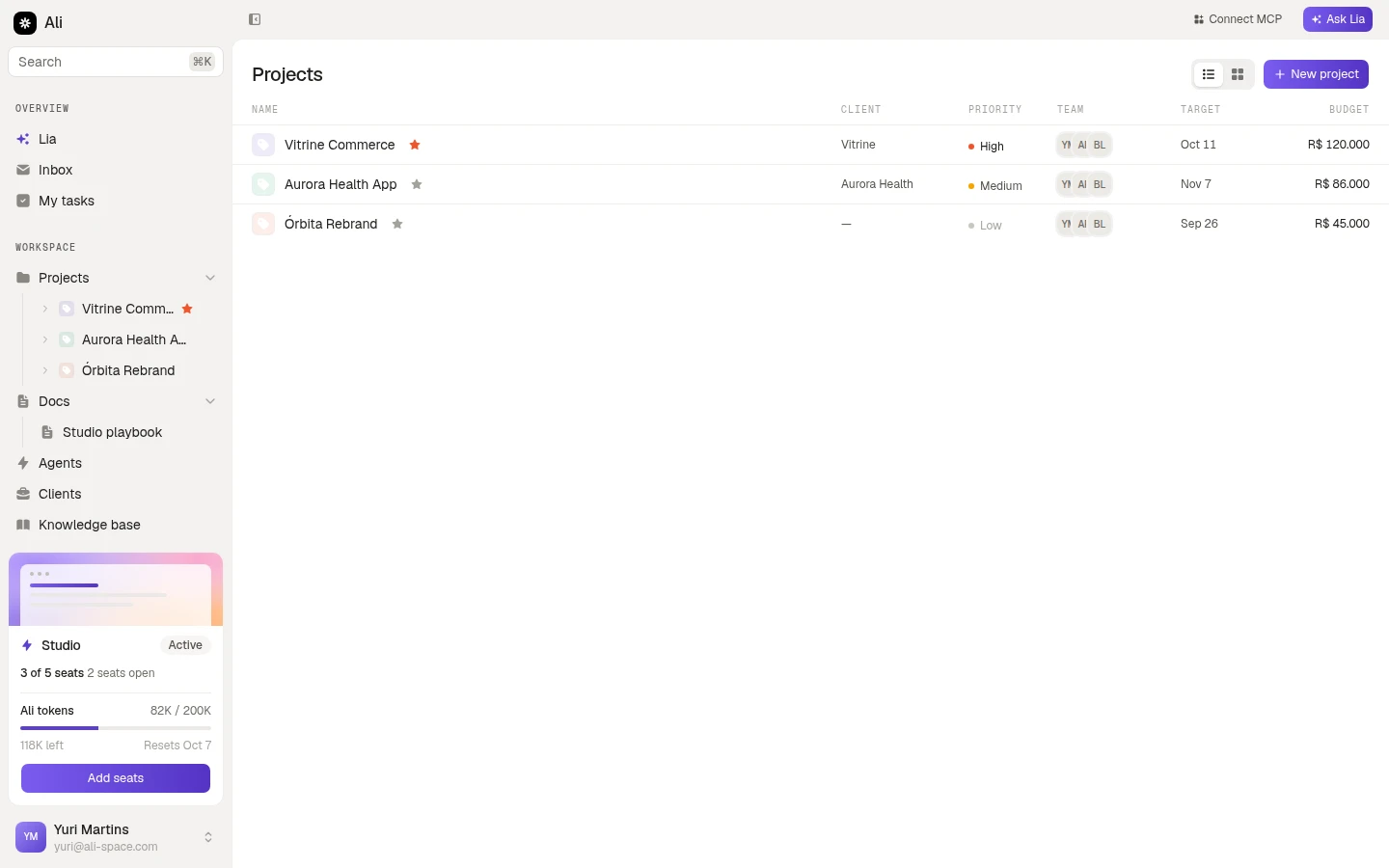
What a row tells you
The list is deliberately narrow: six columns, all of them things you would ask about in a status meeting.
| Column | What it holds |
|---|---|
| Name | The project, its icon, and a star if you favourited it |
| Client | The account it belongs to, or a dash when it is internal |
| Priority | No priority, Low, Medium, High or Urgent |
| Team | The members who are on it |
| Target | The target date |
| Budget | The contracted value, in the project’s currency |
The star on a row toggles the favourite, which marks the project with a star in the sidebar too, so the two or three you actually live in are easy to spot.
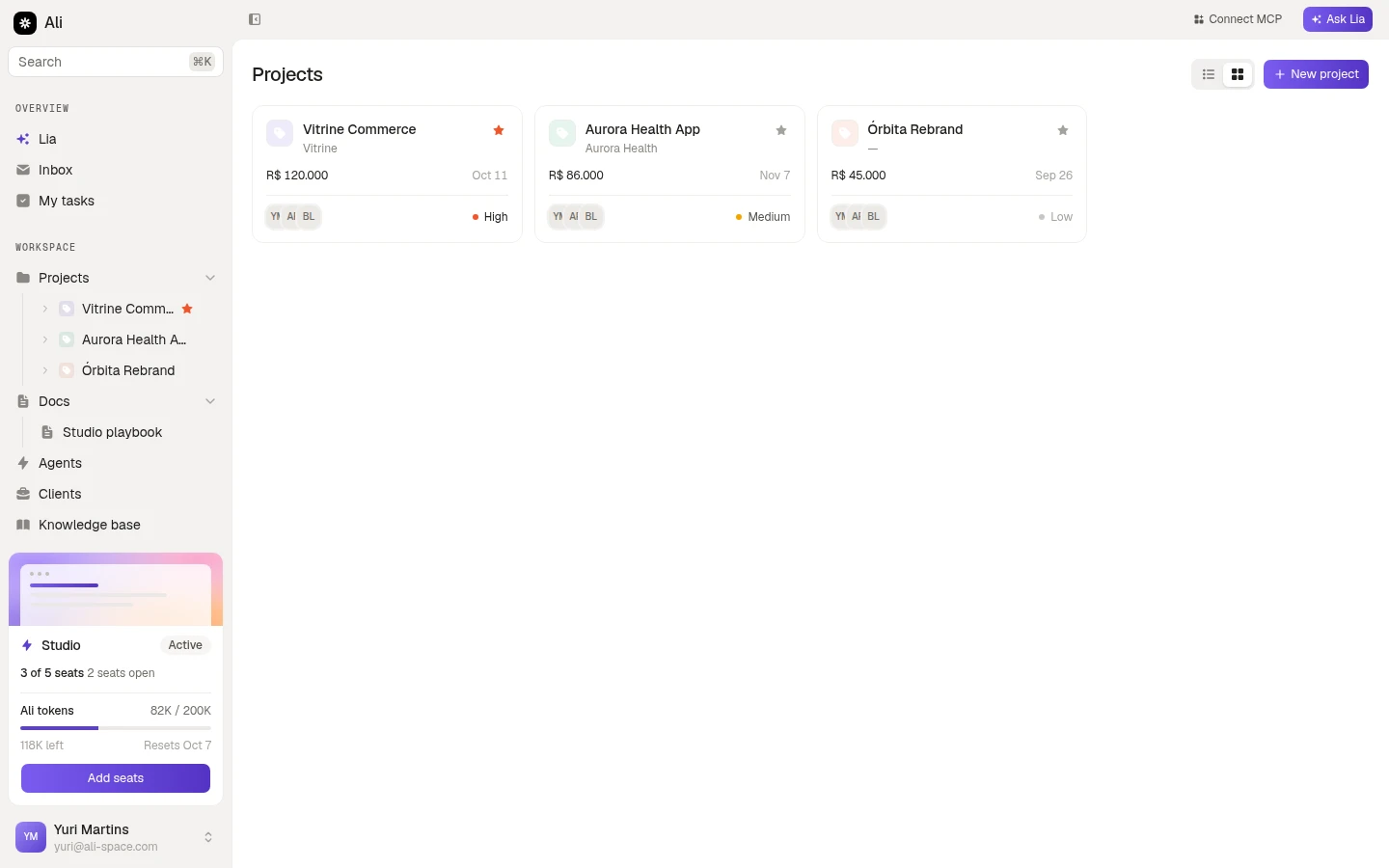
Two layouts
The toggle next to New project switches between the list and cards. Same projects, different density: the list is for scanning many, the cards are for a handful you look at all day.
Inside a project
Opening a project gives you its header and three tabs.
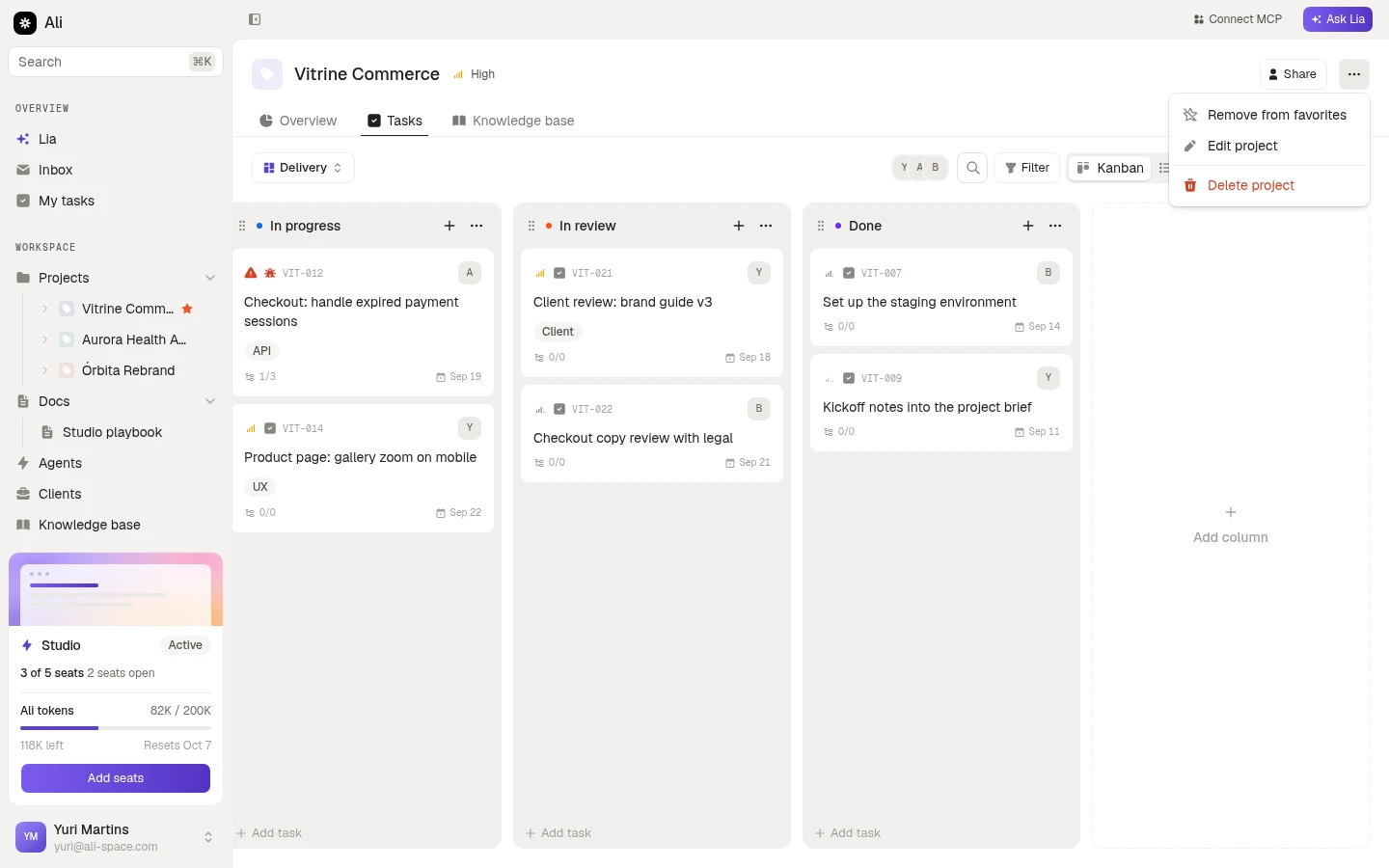
The header carries the name, the priority, a Share button for guest access, and a menu with Edit project, the favourite toggle and Delete project. Deleting asks you to confirm and cannot be undone.
The tabs are:
- Overview, which opens the project straight on its tasks.
- Tasks, the boards and the four views. See Boards and views.
- Knowledge base, the files scoped to this project. See Project knowledge base.