

Knowledge base
The files Lia reads before answering. What to send, how a document is processed, and the difference between the organization base and a project base.
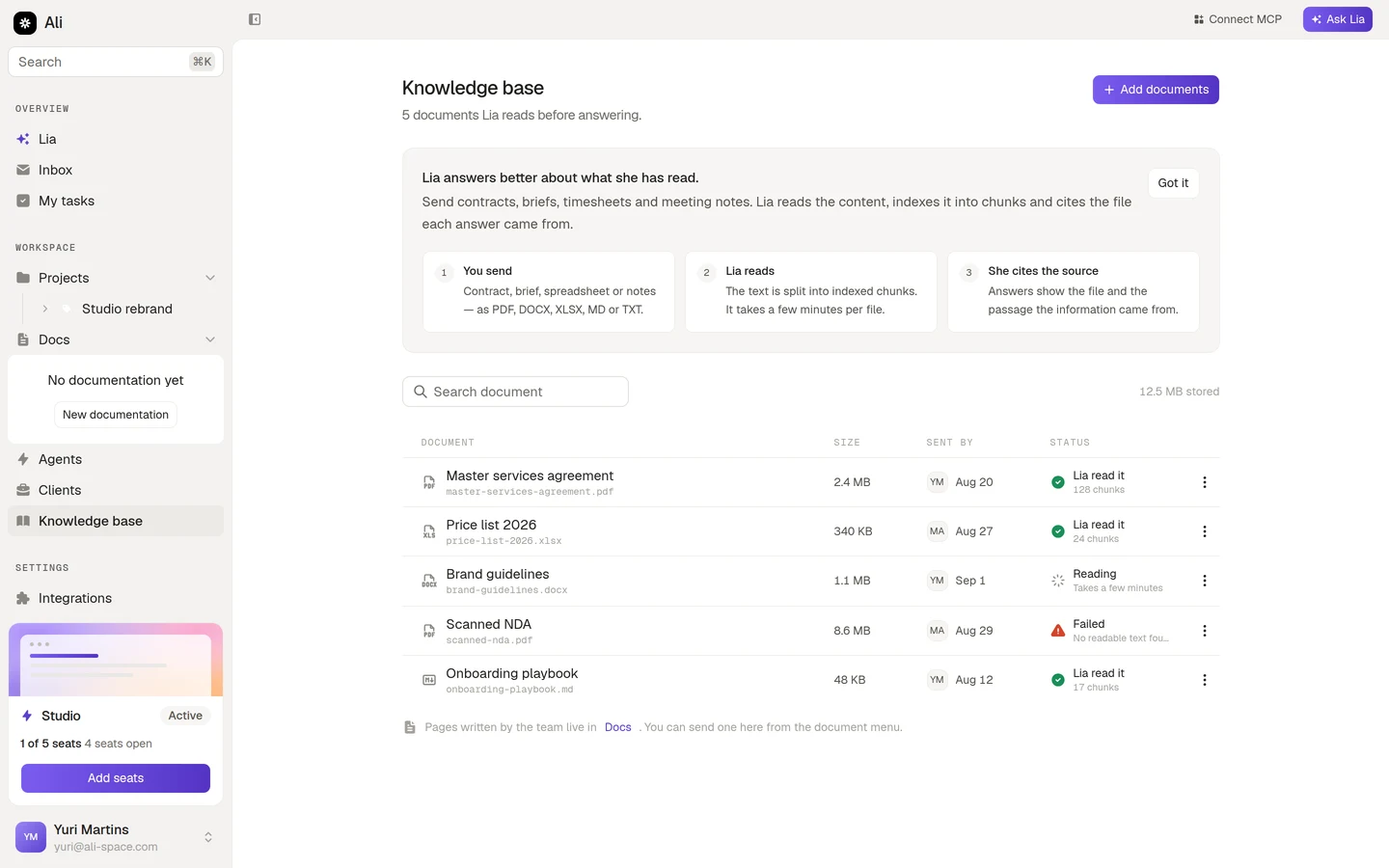
Lia already knows what lives in Ali: your projects, tasks, clients and hours. What she does not know is what is inside the contract you signed, the price list you quote from, or the notes somebody took at the kickoff. The knowledge base is where you put those files so she can read them.
Once a file is in, Lia answers questions about its content and cites the file each answer came from. Nothing gets copied into a chat, and nobody has to remember which folder the PDF was in.
You reach it from Knowledge base in the sidebar.
What it is good for
The value shows up in the questions you stop having to answer by hand. The empty state spells three of them out:
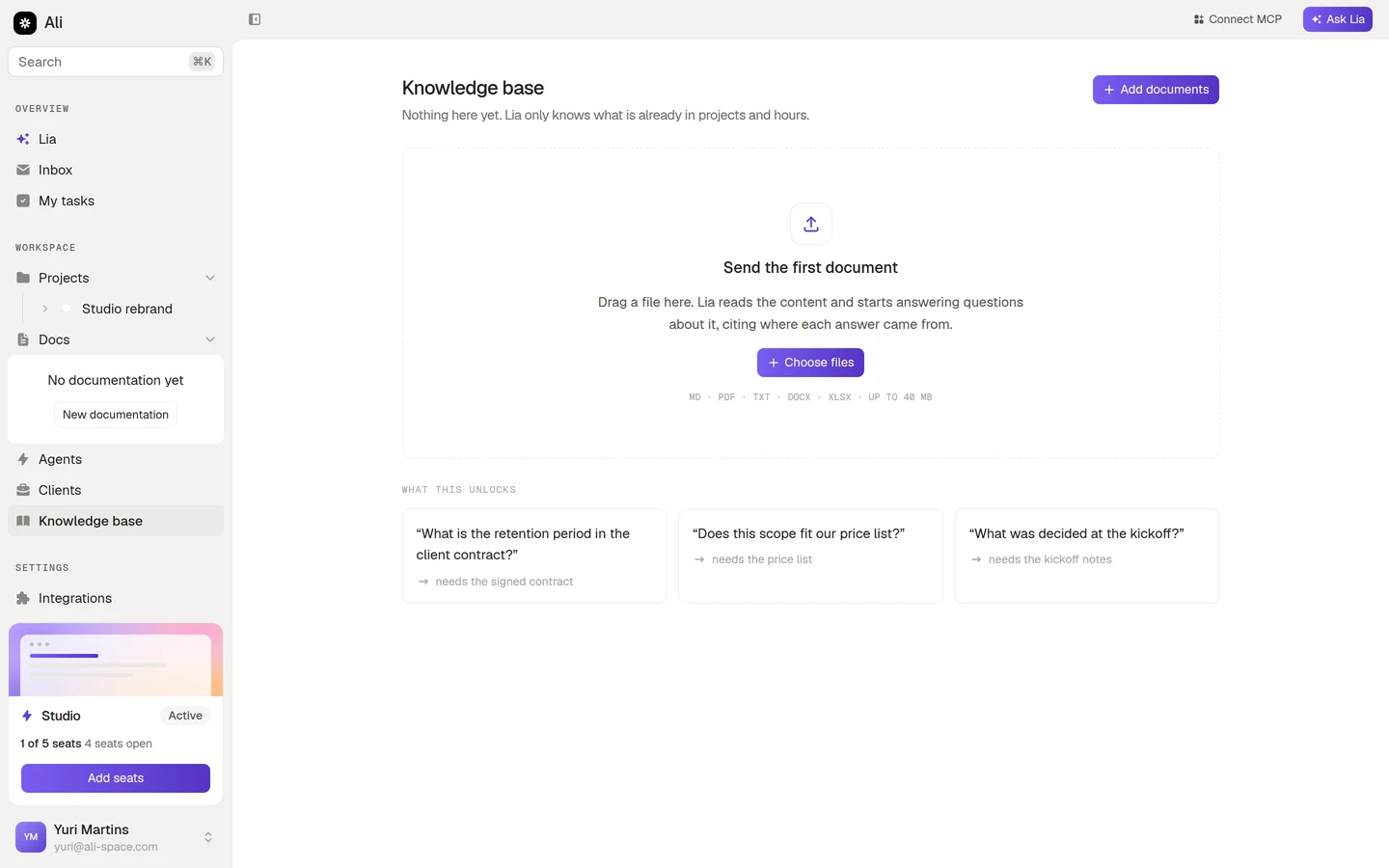
- “What is the retention period in the client contract?” needs the signed contract.
- “Does this scope fit our price list?” needs the price list.
- “What was decided at the kickoff?” needs the kickoff notes.
Each of those is a question somebody currently answers by digging through a drive. Send the file once and it gets answered from then on.
How a document is processed
You send the file
Drag it onto the screen or press Add documents. PDF, DOCX, XLSX, MD or TXT, up to 40 MB per file.
Lia reads it
The text is extracted and split into indexed chunks. This takes a few minutes per file, and the document sits at Reading while it happens.
It becomes answerable
The row flips to Lia read it with the number of chunks, and the content is in play for every answer from then on.
Nothing is instant here. A large PDF sent right before a meeting will not be ready for that meeting. Send files when you get them, not when you need them.
Two bases, not one
There are two places a document can live, and the difference is who it applies to.
| Base | Where it lives | Lia uses it for |
|---|---|---|
| Organization | The Knowledge base screen in the sidebar | Every question, in every project |
| Project | The Knowledge base tab inside a project | Only questions about that project |
Put things that are true everywhere in the organization base: the price list, the standard contract, the onboarding playbook, the brand guidelines. Put things that are true for one engagement in that project’s base: its statement of work, its kickoff notes, its meeting minutes.
A project also gets the organization base on top of its own files, so you never have to upload the price list into every project.
Who can do what
Any member of the workspace can send documents, search the list and remove a document. Deletion is immediate and permanent, so the confirmation names the file before you commit.
Through MCP and agents, the knowledge base is a read only resource: a connected client or an agent can search it and list what is in it, but the Edit level does not apply. Adding and removing files stays a decision somebody makes in the app.
Where to go next
Sending and managing documents
Formats and limits, what each status means, reprocessing a failed file, searching and deleting.
Project knowledge base
Scoping files to one project, and how the two bases stack.
MCP
Let Claude or Cursor search the same base from your editor.
Agents
Give an agent read access to the base so its reports can quote your documents.